Showing posts with label Artists Toolkit. Show all posts

Friday, 30 June 2017

Pipeline 1 : Creating a Turnaround

Pipeline 1 : Texturing Complete 1-8

Texturing was something I was always uncertain with, but with the tutorial I have gained a better understanding, It was nice to go through a gradual change of the model looking more finished and reserved. My render settings for some reason were a bit out of whack and were taking way too long, went to a maya online helpdesk for assistance. I believe I may have the same problem that Deanna had with her copy a while back. Reverted my file to another platform to finish the tutorial on.


Friday, 23 June 2017

Pipeline 1 : Facial Rigging Part 3

Pairing the facial rigging to finish off the activity was easy to follow through, the controls easy to access and yield good results. Had a little trouble with the eyebrows but only because I messed something up earlier on, it works as well as it can do now.


Thursday, 22 June 2017

Pipeline 1 : Facial Rigging Part 2

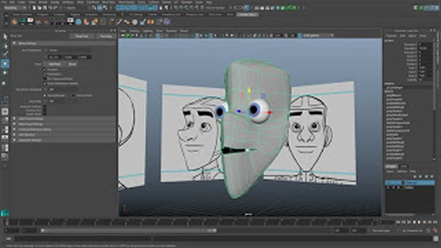
Part 2 of the tutorial was much more straightforward, and its nice to see something starting to happen with the character, the expressions look fluid and there wasn't any problems following along with the tutorial.


Sunday, 18 June 2017

Pipeline 1: Rigging Complete 1-4

This was the first time I have ever rigged a character in all the years I've had on this course, I found following along to the tutorial easy, being able to limit the movement and making the model more clean with fluid movement does bring it alive. 


Tuesday, 16 May 2017

Pipeline 1 : Skinning 1-4


Pipeline 1 : UV Complete

I found creating the UV's a little complex but I am delighted to finally understand how to properly do the process. Up to this point I had been using other techniques to bring texture and design to my work.


Pipeline 1 : Body Modelling


Pipeline 1: Head Modelling Parts 1- 14


Part 1


Part 2


 Part 3


 Part 4


Part 5


 Part 6


Part 7


Part 8


Part 9


Part 10


Part 11


Part 12


Part 13


Part 14


Lighting & Rendering 2 - Mental Ray Proxies

This tutorial taught me how to use Mental Ray Proxies to help with maya's crashing issues. By exporting the object as a proxy then using the bounding box of the object. The overall result frees up the viewport and prevents maya crashes associated with the issue. 


Rendered Eye Group

Workstation For Eyes 


Rendered Tree


Workstation For Tree